Steps
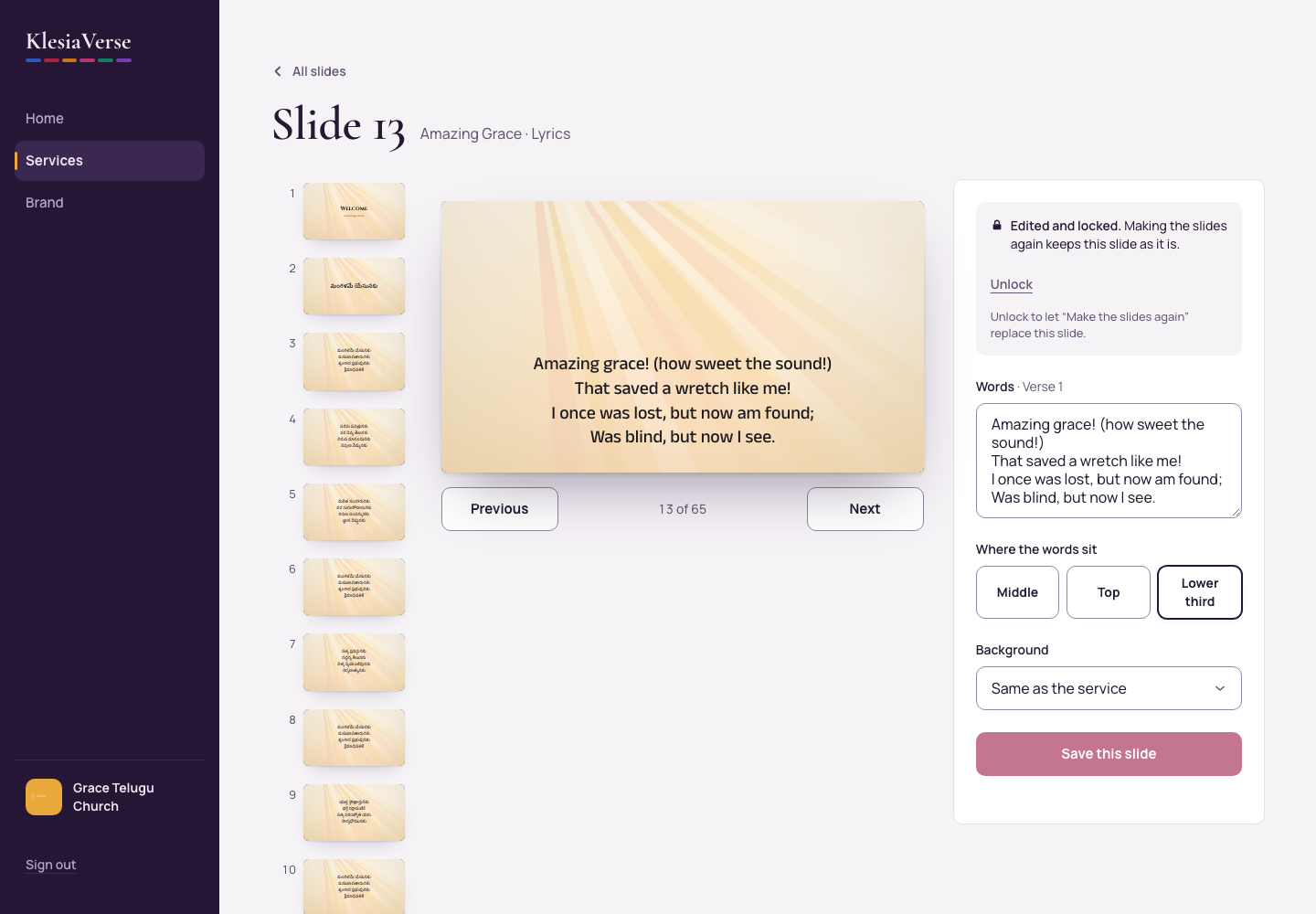
On the Slides page, choose the slide.
Change the words in the text box. Bible words come from the edition word for word and can’t be changed here.
Under Where the words sit, choose Middle, Top or Lower third. For a verse in two languages, you can also choose One above the other or Side by side.
To give just this slide another background, choose it under Background.
Choose Save this slide. The slide is now Edited and locked.
To let “Make the slides again” replace it, choose Unlock. To throw your changes away, choose Go back to the original words, then Yes, go back.
Good to know
- Moving to another slide with Previous or Next saves your changes first. The arrow keys move between slides too.
- To show other Bible verses, change the reading in the order of service.
- If the words don’t fit, the slide gets a red outline until you shorten them.
Still stuck? Write to hello@khairotech.com and we’ll help.