Steps
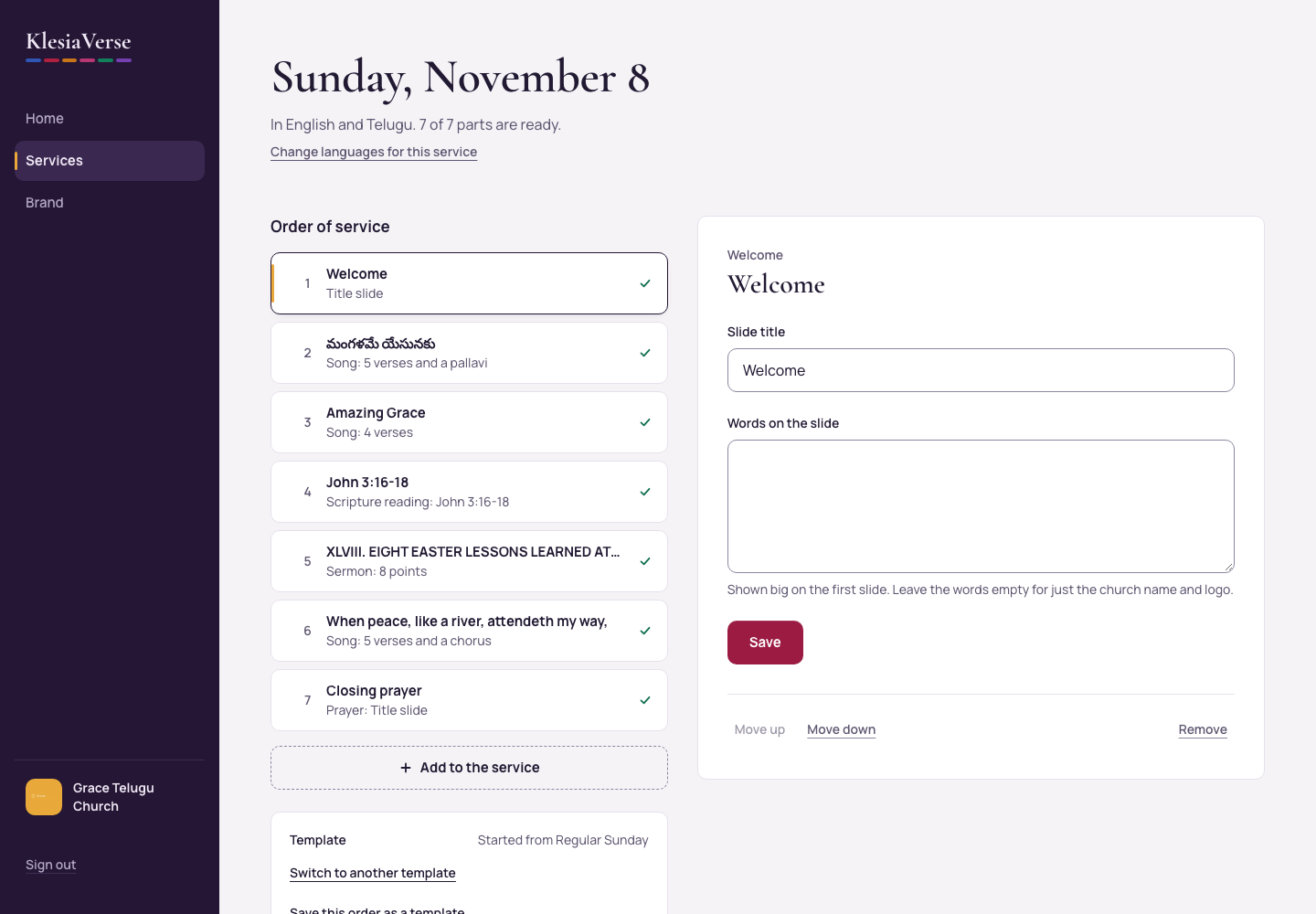
Open the service. To add a part, choose Add to the service under the list, then choose Song, Scripture reading, Sermon, Welcome, Prayer or Other slide.
To move a part, choose it in the list, then choose Move up or Move down at the bottom of its panel.
To take a part out, choose it, then choose Remove, and Remove again to confirm.
For a welcome, prayer or other slide, type the Slide title and the Words on the slide, then choose Save.
Good to know
- A green tick means a part is ready. A gold dot with To check means something needs a look. An empty circle means it’s not added yet.
- Changed the order? Choose Make the slides again so the slides follow it.
- For an announcement, add an Other slide.
Still stuck? Write to hello@khairotech.com and we’ll help.