Steps
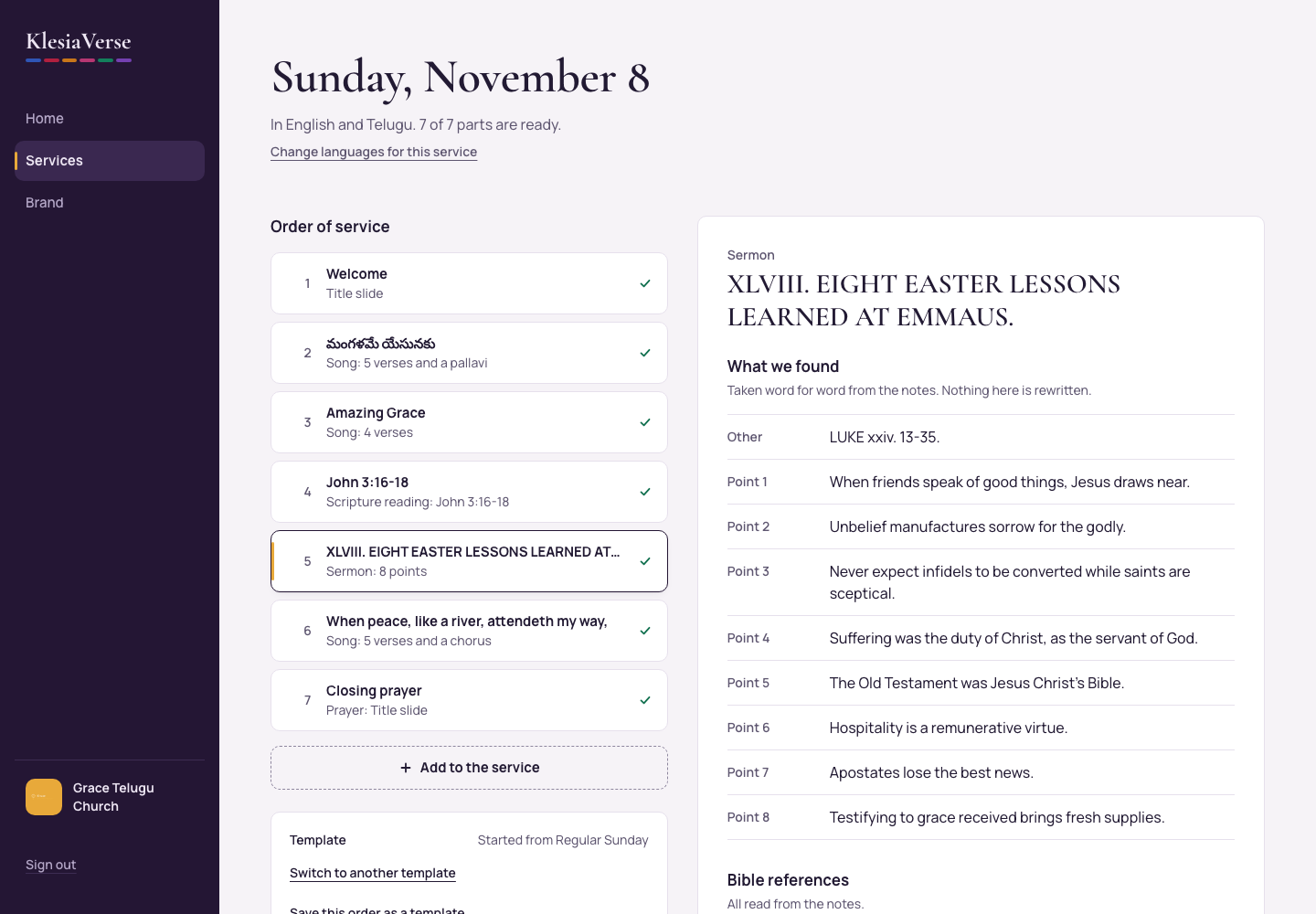
In the order of service, choose the Sermon.
Paste the notes into Sermon notes, exactly as the pastor wrote them.
Choose Read the notes. It takes about half a minute.
Look through What we found: the points and other parts, word for word from the notes.
Under Bible references, look for any gold Choose the verse for “…” button. Choose it, type the verse in Which verse is “…”? (for example John 3:17) and choose Save the verse.
When nothing is left to check, the sermon shows a green tick in the order of service.
Good to know
- Nothing is rewritten. The slides use the pastor’s own words.
- Bible verses cited in the sermon get their own slides, in the service’s languages.
- Pasted the wrong notes? Choose Paste different notes.
- Paste one sermon at a time (up to about 10,000 words).
Still stuck? Write to hello@khairotech.com and we’ll help.