Steps
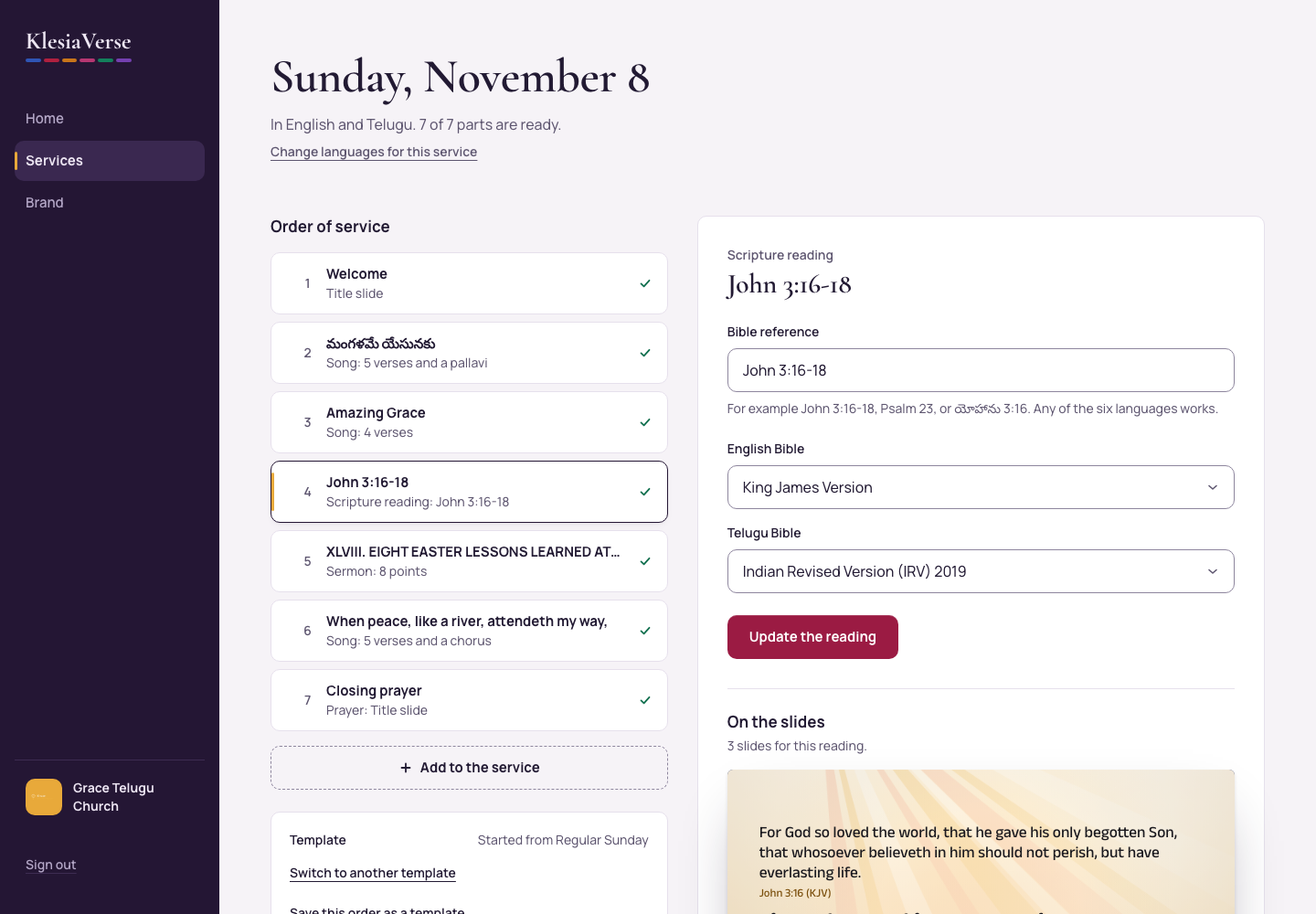
In the order of service, choose a Scripture reading.
Type the Bible reference, for example “John 3:16-18”, “Psalm 23” or “యోహాను 3:16”. Any of the six languages works.
For each language, choose the Bible edition, for example Telugu Bible.
Choose Show the reading. The passage appears in each language below.
Under Languages, choose One above the other, Side by side or One per slide.
Under Verses on each slide, choose As many as fit or One verse.
Under Where the words sit, choose Middle, Top or Lower third.
Good to know
- Bible editions you can use today: King James Version, World English Bible and Berean Standard Bible (English); Reina Valera 1909 and Versión Biblia Libre (Spanish); Indian Revised Version (Telugu, Hindi and Tamil); Indian Revised Version and Sathyavedapusthakam 1910 (Malayalam).
- NIV, ESV and other licensed Bibles aren’t available yet.
- Changed the reference? Choose Update the reading.
- A credits slide with each edition’s copyright line is added at the end of every download.
Still stuck? Write to hello@khairotech.com and we’ll help.